Essential Features Every HVAC Website Should Have
An HVAC company website needs to do more than display a business name, a list of services, and a phone number. It should help potential customers understand what the company offers, find relevant information quickly, establish confidence in the business, and take the next step when they need heating or cooling services.
Whether someone is searching for air conditioning installation, furnace repair, commercial HVAC maintenance, or a complete heating and cooling solution, the website often becomes an important part of their decision-making process.
However, many HVAC business websites overlook essential functionality. Complicated navigation, unclear service descriptions, missing contact options, slow-loading pages, and outdated business information can make it harder for visitors to find what they need.
So, what are the essential features every HVAC website should have?
A professional HVAC website should combine responsive design, dedicated service pages, convenient contact options, trust-building elements, clear navigation, fast performance, local business information, useful content, accessibility, and reliable security.
Below are 12 important features HVAC business owners should consider when building or improving their websites.
Table of Contents
1. Mobile-Friendly and Responsive Website Design
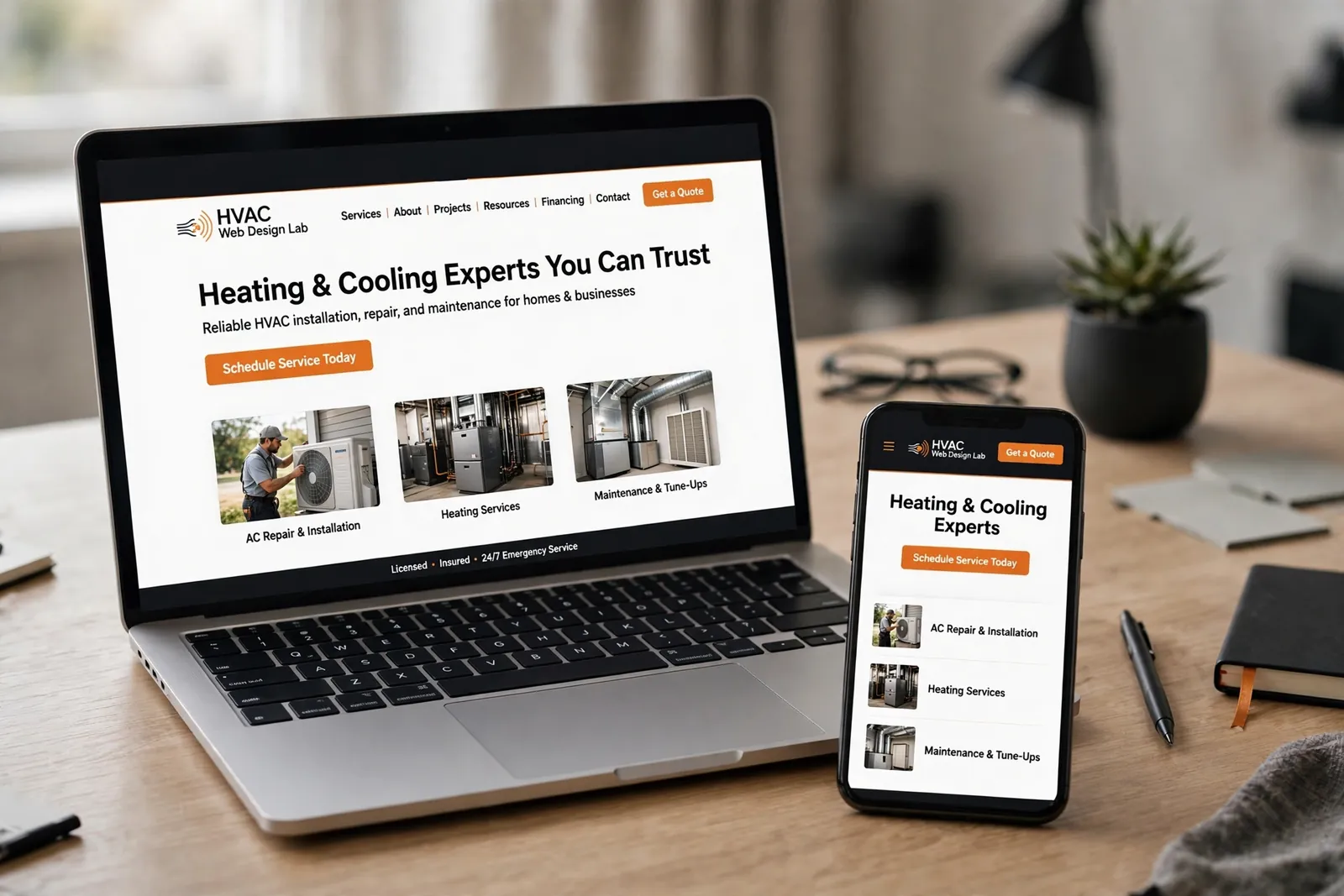
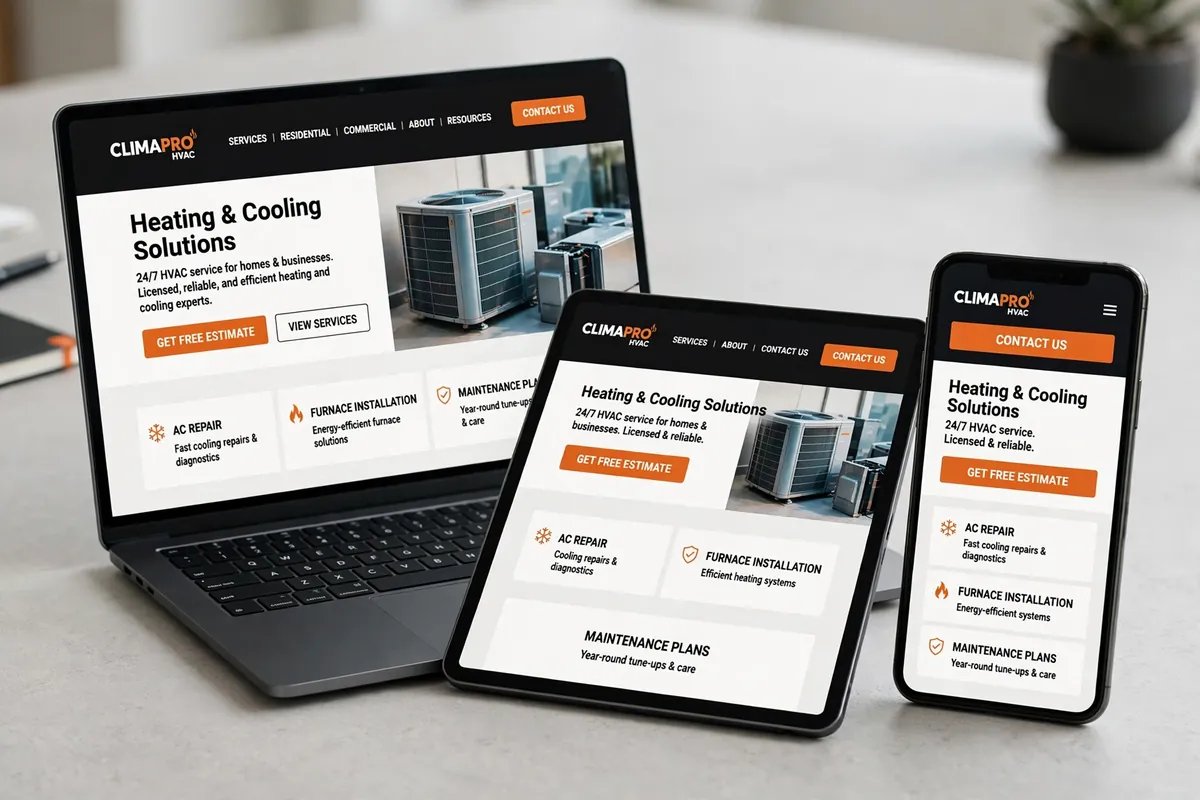
A mobile-friendly website is one of the most important features for an HVAC business. Potential customers may search for an HVAC contractor using smartphones while dealing with an uncomfortable indoor temperature, researching a replacement system, or comparing local service providers. If your website is difficult to navigate on a mobile device, visitors may struggle to find your phone number, understand your services, or complete a contact form. Responsive website design allows the layout to adapt to different screen sizes, including smartphones, tablets, laptops, and desktop computers. Important mobile design elements include:
- Readable text without requiring visitors to zoom.
- Buttons large enough to tap comfortably.
- Navigation menus that work properly on smaller screens.
- Images that resize without breaking the layout.
- Contact forms that fit mobile screens.
- Proper spacing between interactive elements.
- Clearly visible phone numbers and calls to action.
2. Dedicated HVAC Service Pages
A professional HVAC website should have clearly organized service pages.
Simply listing every service on the homepage does not provide enough information for visitors who want to understand a particular service.
Instead, create individual pages for the main services your business provides.
For example:
| Service page | Information to include |
|---|---|
| Air Conditioning Installation | Installation process, system options, and service information |
| AC Repair | Common repair situations, service details, and contact options |
| Heating Installation | Heating system installation information |
| Furnace Repair | Repair services and relevant customer information |
| HVAC Maintenance | Maintenance services and available plans |
| Commercial HVAC | Commercial heating and cooling capabilities |
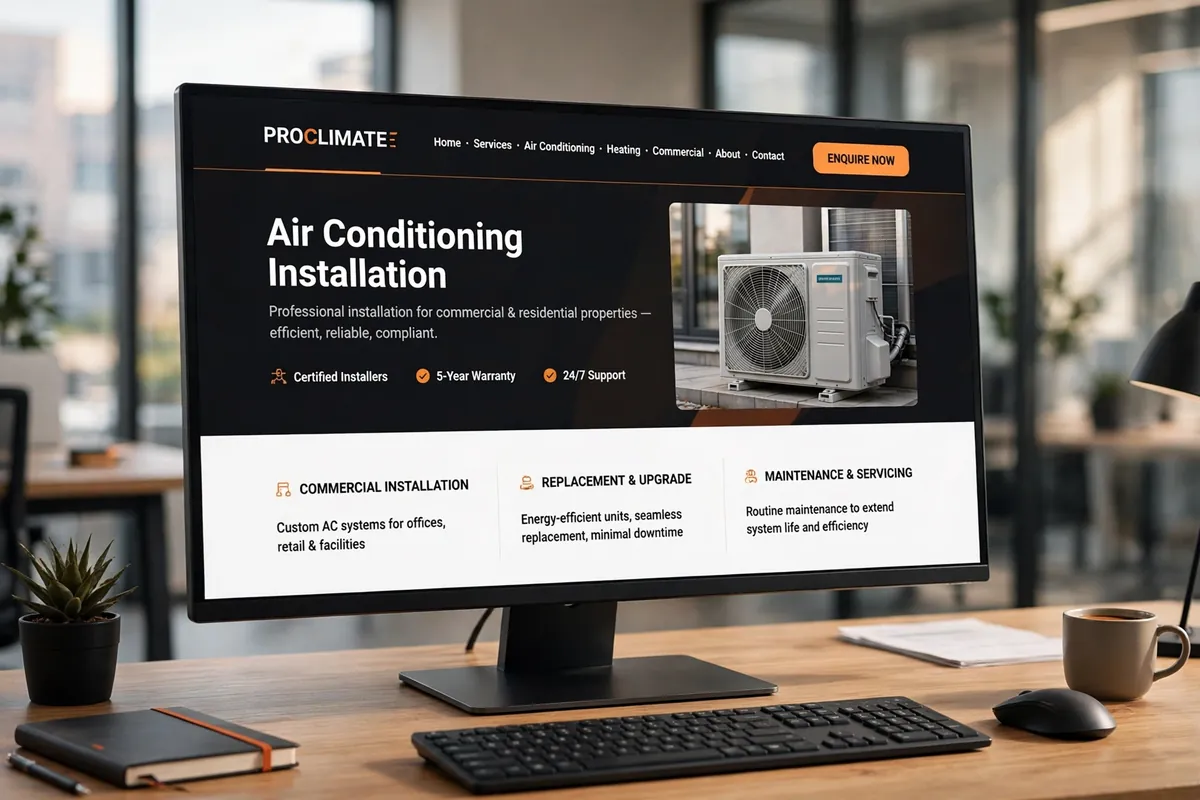
Each page should explain what the service involves, who it is intended for, and how customers can request assistance.
Include relevant photographs, service-specific FAQs, appropriate trust signals, and a clear contact option.
Avoid creating multiple pages with nearly identical content simply to target different keywords. Every service page should provide useful information about an actual service the company offers.
For additional guidance, explore our comprehensive HVAC website design guide.
3. Click-to-Call Buttons and Visible Contact Information
An HVAC website should make contacting the company straightforward.
When visitors have already decided they need assistance, they should not have to search through several pages to find a telephone number.
A click-to-call button allows smartphone users to initiate a phone call by tapping a button.
Useful placements include:
- The website header.
- The homepage hero section.
- Individual service pages.
- The contact page.
- Mobile navigation.
- Relevant sections throughout the website.
Use clear button labels such as:
- Call Now
- Speak With Our Team
- Request HVAC Service
- Contact Our HVAC Team
Make sure the telephone number is accurate and connected to the correct business.
On desktop devices, visitors should also be able to find the contact number easily, even if click-to-call functionality is less important than it is on mobile.
If the company offers different telephone numbers for residential and commercial enquiries, display them clearly.
4. Simple Quote Request and Contact Forms
Not every potential customer wants to make a phone call.
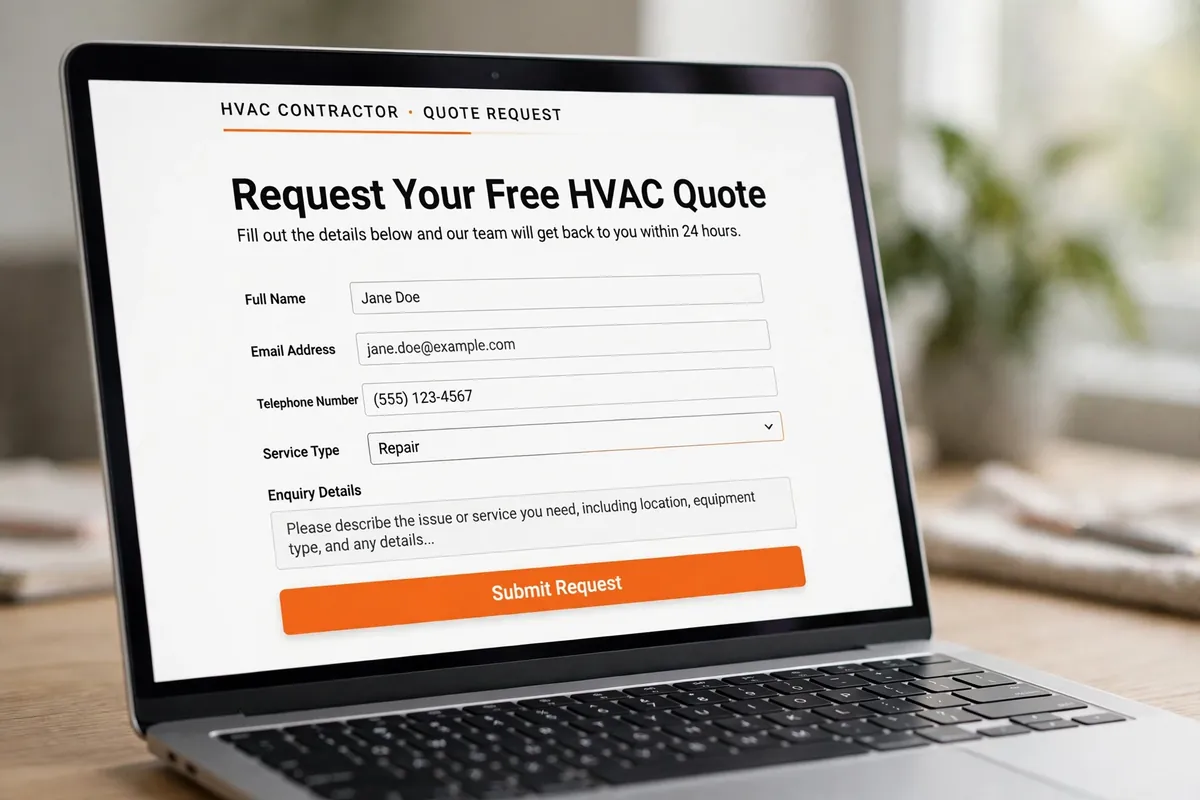
Some visitors prefer submitting a form and receiving a response later. A properly designed contact or quote request form provides another way for potential customers to communicate with the business.
For HVAC contractors, forms can collect information that helps the team understand an enquiry before responding.
Useful form fields may include:
- Full name.
- Email address.
- Telephone number.
- Service required.
- Property type.
- Service location or ZIP code.
- Brief description of the enquiry.
Only request information that is genuinely necessary.
A long form with too many compulsory fields can discourage visitors from completing it.
For example, someone requesting an air conditioning installation estimate might need to provide their contact information, property type, location, and a short description of their requirements.
Important contact form features:
- Clear field labels.
- Mobile-friendly layouts.
- Appropriate required-field indicators.
- Useful validation messages.
- Spam protection.
- A clear submission confirmation.
- Reliable email notifications.
- A privacy notice where appropriate.
Test every form after implementation. A form that looks attractive but does not deliver enquiries to the correct inbox is not performing its intended function.
5. Trust Signals, Customer Reviews, and Business Credentials
Before contacting an HVAC company, visitors often want to know whether the business is established, reliable, and suitable for their requirements.
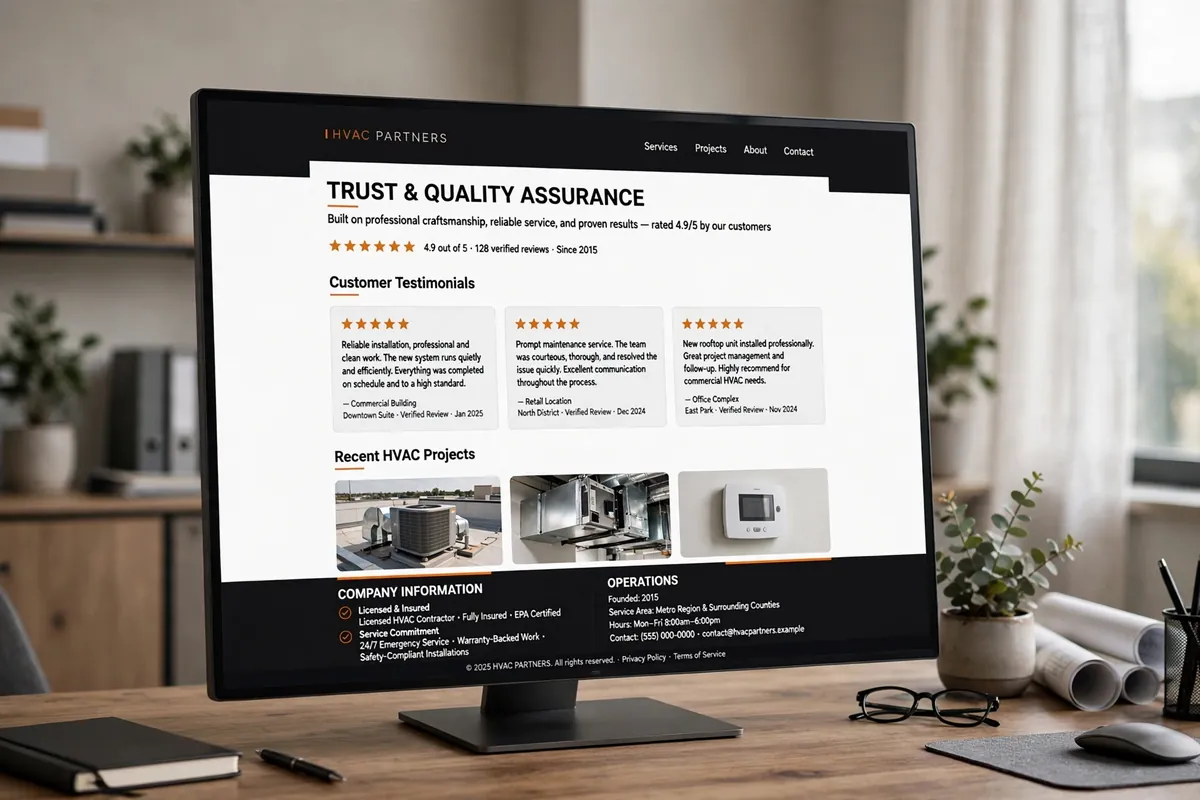
Your website should provide genuine information that helps visitors evaluate the company.
Useful trust-building elements include:
- Genuine customer reviews.
- Relevant business licenses, where applicable.
- Verified industry certifications.
- Insurance information, where appropriate.
- Professional team photographs.
- Completed project photographs.
- Manufacturer affiliations, when genuine.
- Years in business, when accurately documented.
- Physical business information.
- Clear service guarantees, only when actually offered.
Customer testimonials can provide additional context about the experience of working with the company.
If you display third-party reviews, identify their source accurately. Never fabricate testimonials, ratings, customer names, or certification badges.
A portfolio or completed-project section can also demonstrate the types of work the company undertakes.
For example, an HVAC contractor specializing in commercial mechanical systems could showcase genuine commercial projects, while a residential contractor might highlight appropriate residential installations.
Trust signals should be visible without overwhelming the website with unnecessary badges and graphics.
6. Clear and Easy-to-Use Website Navigation
Good website navigation helps visitors find information without unnecessary effort.
An HVAC company may offer several services, serve multiple locations, and provide different solutions for residential and commercial customers. Without a logical navigation structure, visitors can easily become confused.
A practical primary navigation menu might include:
- Home
- About
- Services
- Service Areas
- Projects
- Reviews
- Contact
The Services menu can contain relevant individual service pages.
Good navigation practices include:
- Use familiar and descriptive menu labels.
- Group related services logically.
- Avoid overcrowding the primary navigation.
- Make dropdown menus usable on mobile devices.
- Provide visible contact options.
- Keep navigation consistent across pages.
- Use a clear visual distinction between navigation links and calls to action.
The goal is to help visitors understand where they are and where they can find the information they need.
A clear navigation structure also helps search engines discover and understand the relationships between important website pages. For additional guidance, consult the Google Search Central SEO Starter Guide.
7. Fast Loading Speed and Strong Website Performance
Website speed is another essential feature.
Visitors may become frustrated when a website takes too long to load, especially when they are using a mobile connection or trying to access important contact information.
An HVAC website can become unnecessarily slow because of oversized photographs, excessive animations, poorly optimized scripts, unnecessary plugins, or inefficient hosting configurations.
Important performance improvements include:
- Compressing images without noticeably reducing their quality.
- Serving appropriately sized responsive images.
- Using modern image formats such as WebP.
- Reducing unnecessary scripts and third-party resources.
- Choosing suitable hosting.
- Implementing appropriate caching.
- Optimizing font loading.
- Reducing layout shifts.
- Avoiding excessive animations and visual effects.
Google’s Core Web Vitals provide useful measurements of real-world loading performance, responsiveness, and visual stability.
The current recommended good thresholds are:
| Metric | What it measures | Good target |
|---|---|---|
| LCP | Loading performance | 2.5 seconds or less |
| INP | Interaction responsiveness | 200 milliseconds or less |
| CLS | Visual stability | 0.1 or less |

These measurements should be evaluated using appropriate real-user data and testing tools. See Google’s Core Web Vitals guidance for the current definitions and recommended thresholds.
A website should not be optimized simply to obtain a particular laboratory score. Focus on providing a responsive, stable experience for actual visitors.
8. Strong Calls to Action Throughout the Website
A website can contain excellent information and still make it difficult for visitors to take action.
Calls to action (CTAs) guide visitors toward the next relevant step.
For an HVAC company, this might involve requesting an estimate, calling the business, booking a consultation, or submitting a service enquiry.
Examples of useful HVAC website CTAs include:
- Request a Free Estimate.
- Schedule HVAC Service.
- Call Our Team Today.
- Get an Installation Quote.
- Contact Our Commercial HVAC Team.
The wording should reflect the actual service and commitment being offered.
For example, do not advertise a free estimate if the business charges for estimates.
Where should CTAs appear?
- Homepage hero section.
- Below important service descriptions.
- At the end of individual service pages.
- Within relevant project or case study pages.
- Near contact information.
- At the end of helpful articles.
Use clear, action-oriented wording and maintain visual consistency.
Avoid placing so many buttons on a page that visitors cannot distinguish the primary action.
9. Dedicated Service Area Information
HVAC companies generally serve customers within defined geographical areas.
Your website should communicate those locations clearly.
A service area section can help visitors determine whether their property falls within the company’s operating area.
For example, an HVAC company serving several communities could organize its locations into:
- Primary service city.
- Nearby towns.
- Surrounding communities.
- Commercial service regions.
Include relevant geographical information naturally on the homepage, contact page, and appropriate service pages.
If the business serves several distinct locations, individual location pages may be useful when each page contains genuinely relevant information.
Avoid creating dozens of nearly identical location pages that simply replace one city name with another.
You can also connect your website information with your Google Business Profile, ensuring that the business name, address, telephone number, and service-area details are accurate and consistent with the business’s actual operations. Businesses that need help improving local visibility can explore HVAC Local SEO services.
Do not publish a residential address as a customer-facing location if the business is configured as a service-area business and does not receive customers there.
10. Helpful Content and Educational Resources
An effective HVAC website should answer common customer questions.
Visitors may want to understand the difference between HVAC systems, learn about maintenance requirements, compare installation options, or determine what information they need before requesting an estimate.
Useful educational content helps address these questions.
Consider publishing:
- HVAC maintenance guides.
- Air conditioning installation information.
- Heating system comparisons.
- Energy efficiency explanations.
- Seasonal HVAC preparation tips.
- Answers to common customer questions.
- Commercial HVAC planning resources.
FAQs are particularly useful on individual service pages.
For example, an air conditioning installation page might answer:
- How long does an AC installation take?
- What information is needed for an installation estimate?
- Which factors affect installation costs?
- Does the company install different system types?
Only include answers that accurately reflect the company’s services and policies.
Organize resources into relevant categories so visitors can find related information.
Helpful content should provide genuine value rather than repeating keywords to attract search traffic.
11. Website Accessibility and User-Friendly Design
An HVAC website should be usable by people with different abilities, devices, and browsing preferences.
Accessibility is not simply a visual design consideration. It affects how visitors perceive, navigate, understand, and interact with a website.
The W3C Web Accessibility Initiative explains that accessible websites help people with disabilities use web content and also benefit users in other situations, including people using smaller screens or slower internet connections.
Important accessibility considerations include:
- Sufficient text and background contrast.
- Readable font sizes.
- Descriptive links and button labels.
- Appropriate alternative text for meaningful images.
- Keyboard-accessible navigation.
- Clearly labeled form fields.
- Visible keyboard focus indicators.
- Proper heading hierarchy.
- Captions or transcripts for relevant multimedia.
- Avoiding information communicated through color alone.
For example, a contact form should not rely exclusively on placeholder text to explain what information visitors must enter.
Similarly, an icon-only phone button should have an accessible name that explains its purpose.
Accessibility should be considered during website planning, design, development, and testing. For a standards-based reference, review W3C’s Web Content Accessibility Guidelines.
Automated accessibility tools can identify some problems, but they cannot independently confirm that an entire website is accessible.
12. Website Security and Ongoing Maintenance
A professional HVAC website requires ongoing maintenance after launch.
WordPress websites rely on several components, including the WordPress core, themes, plugins, hosting infrastructure, and sometimes additional integrations.
Keeping these components maintained helps reduce avoidable security and functionality problems.
Important website maintenance activities include:
- Updating WordPress core.
- Updating themes and plugins.
- Maintaining regular backups.
- Monitoring website availability.
- Checking contact form functionality.
- Reviewing broken links.
- Monitoring website performance.
- Maintaining SSL/HTTPS.
- Using strong administrator passwords.
- Restricting unnecessary user permissions.
- Monitoring suspicious activity.
Backups should be stored safely and periodically tested to confirm that restoration is possible.
Do not install plugins or themes from untrusted sources.
If a website contains customer enquiry forms, protect the information collected and ensure that appropriate privacy and data-handling practices are followed.
Maintenance should be treated as an ongoing responsibility rather than something that ends when the website goes live. If you are evaluating development support, read our guide to choosing a WordPress developer for an HVAC company.
WordPress also provides WordPress security hardening guidance covering important practices for protecting a WordPress installation.
Essential vs. Optional HVAC Website Features
Not every HVAC company needs the same website functionality.
A small residential contractor may require a straightforward website with service pages, contact forms, reviews, and service area information.
A larger commercial HVAC company may need more advanced features.
The following table provides a practical starting point.
| Website feature | Priority | Why it matters |
|---|---|---|
| Responsive design | Essential | Supports visitors across devices |
| Dedicated service pages | Essential | Explains individual services |
| Click-to-call functionality | Essential | Makes contacting the business easier |
| Contact and quote forms | Essential | Provides an enquiry channel |
| Trust signals | Essential | Helps establish credibility |
| Clear navigation | Essential | Improves information discovery |
| Fast performance | Essential | Supports a better browsing experience |
| Clear CTAs | Essential | Guides visitors toward action |
| Service area information | Essential for local contractors | Clarifies geographical coverage |
| Helpful content and FAQs | Recommended | Answers common customer questions |
| Accessibility | Essential consideration | Helps more people use the website |
| Security and maintenance | Essential | Supports ongoing website reliability |
| Online scheduling | Optional | Useful for businesses with suitable booking processes |
| Customer portal | Optional | Useful for businesses needing customer account functionality |
| Live chat | Optional | Useful when the business can manage responses |
| Financing calculator | Optional | Relevant when the company offers financing |
Choose features according to actual business requirements, available resources, and customer expectations.
Adding functionality simply because another HVAC company has it does not automatically improve your website.
How to Prioritize Features When Building or Redesigning an HVAC Website
If you are planning a new HVAC website or considering a redesign, start with the features that directly affect how visitors understand and contact your business. A practical implementation order is: Priority 1: Build a reliable foundation
- Responsive website layout.
- Clear navigation.
- Accurate contact information.
- Dedicated service pages.
- Mobile-friendly contact options.
- Genuine customer reviews.
- Business credentials.
- Relevant project photographs.
- Clear service area information.
- Useful service descriptions.
- Image optimization.
- Page speed improvements.
- Accessibility checks.
- Clear calls to action.
- Functional contact forms.
- Educational resources.
- Additional location pages where justified.
- Online scheduling where appropriate.
- Advanced customer tools where needed.
Frequently Asked Questions
The most important features include responsive design, dedicated service pages, visible contact information, click-to-call buttons, quote request forms, customer reviews, clear navigation, fast loading speed, and strong calls to action. These features help visitors understand the business, find relevant information, and contact the company.
Yes. A mobile-friendly website makes it easier for visitors to browse services, read business information, and contact an HVAC company using smartphones and tablets. It should include readable text, usable navigation, properly sized buttons, and forms that work on smaller screens.
There is no universal number. An HVAC website should have separate pages for its main services when those services require distinct explanations. For example, air conditioning installation, heating repair, and commercial HVAC services may each benefit from dedicated pages. The objective is to provide useful, specific information rather than create unnecessary pages.
Yes, genuine customer reviews can help visitors understand other customers' experiences with the business. Display reviews accurately, identify their source where appropriate, and never fabricate ratings or testimonials.
A typical form may request the visitor's name, email address, telephone number, service required, location, and a short description of their enquiry. Keep forms simple and request only the information necessary to respond.
Common improvements include compressing images, using WebP where appropriate, optimizing scripts, reducing unnecessary plugins, implementing suitable caching, and selecting reliable hosting. Measure performance before and after making changes.
A blog is not mandatory, but helpful educational articles can answer customer questions, explain services, and support a broader content strategy. Publish information relevant to the company's services and audience rather than creating articles solely to increase keyword counts.
Website maintenance should be ongoing. Review software updates, backups, security, forms, links, and performance regularly. The appropriate maintenance frequency depends on the website's complexity, hosting environment, and business requirements.
No. Online booking is optional. It can be useful for companies with defined appointment availability and a process for managing bookings. Other businesses may prefer telephone calls or quote request forms.
Individual location pages can be useful when an HVAC company serves multiple distinct areas and can provide genuinely useful information about each location. Avoid producing repetitive pages that offer little value beyond changing the location name.
Conclusion: Build an HVAC Website That Works for Your Business
The essential features every HVAC website should have go beyond attractive visuals.
A successful website should make it easy for visitors to understand your services, find important information, evaluate your business, and contact your team.
Responsive design, dedicated service pages, click-to-call functionality, contact forms, genuine trust signals, clear navigation, fast performance, useful content, accessibility, and ongoing security all contribute to a more complete website experience.
However, the right combination of features depends on your company’s services, customers, geographical coverage, and business goals.
If your current website is missing important functionality or no longer represents your business effectively, it may be time to review its design and structure.
HVAC Web Design Lab specializes in website design and digital services for HVAC businesses. Explore our HVAC Web Design services to learn how a professionally planned website can support your business online.
You can also request a free website audit to identify potential areas for improvement.

About the Author
Tanvir Siddiki
Founder & HVAC Web Design SpecialistTanvir is the founder of HVAC Web Design Lab, specializing in website design, website redesign, and local SEO for HVAC businesses. He focuses on creating professional, user-friendly websites that help heating and cooling companies strengthen their online presence.