HVAC Website Design: The Complete Guide for HVAC Businesses
An effective HVAC website does more than introduce your heating and cooling company. It helps potential customers understand your services, evaluate your credibility, find the information they need, and contact your business without unnecessary friction.
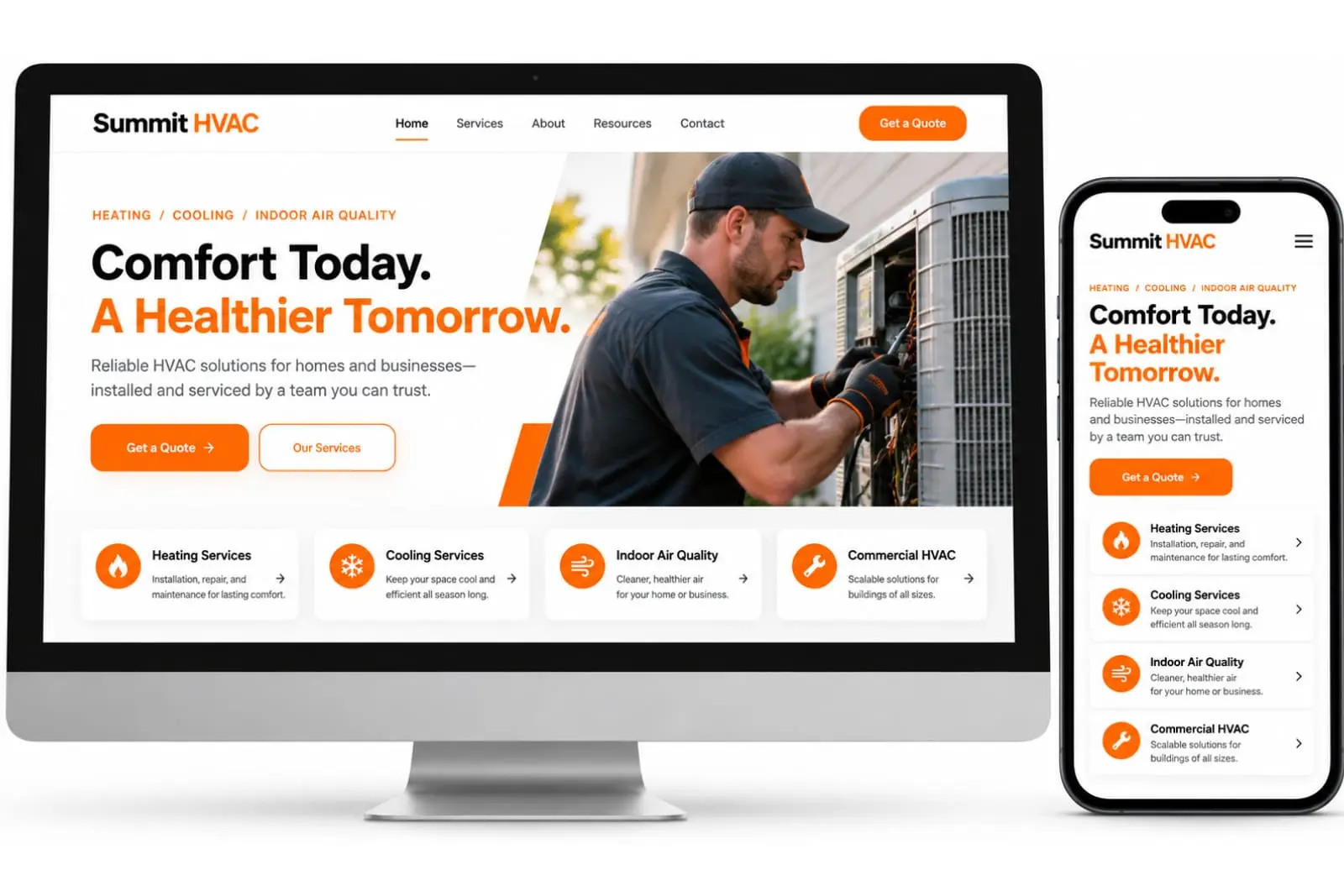
HVAC website design is the process of planning and building a website around the needs of an HVAC business and its customers. It includes the site’s structure, visual design, mobile usability, service pages, contact options, performance, search engine optimization (SEO), and conversion paths.
For residential and commercial HVAC businesses, the goal is to make it easy for the right people to understand what the company offers and take the next appropriate step, whether that means calling, requesting a quote, arranging a consultation, or discussing a commercial project.
This guide explains how to plan an HVAC website, choose the right pages and features, improve local search visibility, avoid common design mistakes, and measure whether the website is supporting your business goals.
Table of Contents
1. What Is HVAC Website Design?
HVAC website design is the planning, design, and development of a website specifically suited to a heating, ventilation, and air conditioning business.
Unlike a generic business website, an HVAC website often needs to communicate several service categories, explain technical solutions in accessible language, establish trust, and make contact information easy to find.
Depending on the company’s business model, the website might serve:
Homeowners looking for residential heating or cooling services.
Property managers responsible for multiple buildings.
Commercial clients evaluating mechanical contractors.
Facility managers researching maintenance or system replacement.
Builders and developers seeking mechanical project partners.
Business owners comparing providers before requesting a proposal.
These audiences do not necessarily have the same needs. A homeowner may want to find out whether a company handles air conditioning repairs, while a commercial property manager may need information about project capabilities, maintenance agreements, or larger installations.
A well-planned website accommodates the relevant audiences without overwhelming visitors with unnecessary information.
HVAC website design vs. generic website design
A generic website template may provide an attractive layout, but it does not automatically address the requirements of an HVAC business.
An effective HVAC website should connect its design decisions to practical business needs:
Service clarity: Visitors can quickly identify the services the company actually offers.
Trust: The website presents genuine business information, credentials, reviews, and project evidence where available.
Accessibility: People can navigate the site and understand its content across supported devices.
Contact accessibility: Phone numbers, enquiry forms, and next steps are easy to locate.
Search visibility: Pages are structured to help search engines understand the business and its services.
Measurement: The business can assess whether website visits lead to meaningful enquiries.
Design is therefore not simply a visual exercise. It combines presentation, information architecture, usability, and business objectives.
2. Why Does Website Design Matter for HVAC Businesses?
Potential customers frequently compare several providers before deciding whom to contact. Your website helps them determine whether your business appears relevant, credible, and capable of meeting their needs.
A poorly organized website can make that decision harder. Visitors may struggle to find your service information, understand your service area, or identify the correct contact method.
A thoughtfully designed website removes these unnecessary obstacles.
It creates a credible first impression
A professional design, consistent branding, clear service descriptions, and accurate contact information help establish a coherent business presence.
Trust should also be supported by genuine evidence. Depending on what your company can substantiate, this might include verified reviews, relevant licenses, insurance information, manufacturer certifications, photographs of completed projects, or details about the team.
Do not display credentials, testimonials, or affiliations that your business cannot verify.
It helps customers understand your services
An HVAC business may offer several services, including heating installation, air conditioning repair, heat pump installation, commercial HVAC maintenance, or indoor air quality solutions. Listing every service in one crowded paragraph makes it harder for visitors to find the information relevant to them. Dedicated service pages can explain what each service involves, who it is for, what customers should know, and how to enquire.
It makes contacting your business easier
Visitors should not have to search through multiple pages to find a phone number or enquiry form.
Clear calls to action (CTAs), click-to-call links on mobile devices, and appropriately designed forms give visitors a straightforward way to contact your company.
It supports organic search visibility
A well-structured website helps search engines discover and understand its pages. Relevant page titles, descriptive headings, useful service content, crawlable links, and accurate business information all contribute to a sound SEO foundation.
However, good design does not guarantee search rankings. Visibility also depends on competition, content quality, relevance, technical accessibility, business prominence, and other factors.
A well-planned website can support several business objectives beyond appearance alone. Learn more about the benefits of professional HVAC website design, including usability, credibility, and making it easier for potential customers to contact your business.
3. Essential Pages Every HVAC Website Should Consider
The right website structure depends on the company’s size, services, audience, and geographic reach. A small residential HVAC company may need a simpler site than a commercial mechanical contractor handling complex projects.
The following pages provide a practical starting point.
Homepage
The homepage should explain what the business does, whom it serves, and what visitors should do next.
Include:
A clear headline describing the business and its main offering.
A short introduction to the company.
Links to important services.
The relevant service area or operating locations.
Genuine reviews, credentials, or other trust signals.
A prominent contact option.
Useful links to about, service, and contact pages.
Avoid vague headlines such as “Welcome to Our Website.” A visitor should be able to understand the company’s main purpose without reading several paragraphs.
Services page
A services overview page helps visitors explore the company’s main offerings.
Use clear service names and brief descriptions, then link to dedicated pages for the most important services.
For example, an HVAC company might organize its services into heating, cooling, heat pumps, indoor air quality, and commercial HVAC. Only include categories the business actually provides.
Individual service pages
Dedicated service pages give each major offering enough room to answer customer questions.
A useful service page typically includes:
A clear explanation of the service.
The customer problem or requirement it addresses.
Relevant details about the work or solution.
Important limitations, eligibility requirements, or considerations where applicable.
Genuine proof of experience or qualifications, if available.
Frequently asked questions when they address real customer concerns.
A relevant contact or quote-request CTA.
Avoid creating dozens of nearly identical pages that differ only by a service name or city. Each page should provide meaningful information for its intended audience.
About page
The About page explains the business behind the website.
Depending on the company, useful information may include its history, team, operating principles, qualifications, approach to customer service, and relevant experience.
Be specific and accurate. A short account of the business and the people behind it is more useful than generic claims about being the best HVAC company in the region.
Contact page
The Contact page should make the next step clear.
Consider including:
Business phone number and email address.
A concise enquiry form.
Business hours, where relevant.
A verified business address or accurate service-area information.
Directions or a map, if customers visit the premises.
Expected response times, but only if the business can meet them.
For businesses that travel to customers rather than receive them at a public storefront, display location information appropriately. Do not publish a residential address or imply that customers can visit a location if that is not how the business operates.
Reviews and project portfolio
Genuine customer feedback and relevant project examples can help prospective customers assess a business.
A residential HVAC company might showcase completed installations or before-and-after photographs. A commercial mechanical contractor might present project summaries describing the building type, scope of work, and verified outcomes.
Obtain appropriate permission before publishing customer information or project photographs. Clearly distinguish actual work from illustrative imagery.
Frequently asked questions
An FAQ page can address recurring concerns about services, estimates, appointments, maintenance, warranties, and the company’s process.
Keep answers accurate and specific to your business. Link to detailed service pages when a question requires a longer explanation.
Optional pages
Depending on your business model, additional pages may include:
Financing information.
Maintenance plans.
Service-area pages.
Commercial capabilities.
Careers.
Customer resources.
Privacy policy and terms.
Accessibility information.
Build pages because they serve a real user need, not simply to increase the total number of URLs.
4. How to Structure an HVAC Website for Better Usability

A website’s information architecture is the way its pages and information are organized. Good architecture allows visitors to move from a broad question to the specific information they need.
Keep navigation simple
A practical main menu might contain:
Home
Services
About
Service Areas
Reviews or Our Work
Contact
The exact menu should reflect the business. A company focused on commercial HVAC may prioritize capabilities and projects, while a residential provider may emphasize services and service areas.
Avoid filling the navigation with every available page. Use service dropdowns or well-organized internal links where necessary.
Build a logical page hierarchy
For example:
Home
Services
Air Conditioning
Heating
Heat Pumps
Commercial HVAC
Service Areas
About
Contact
This is an illustrative structure, not a requirement for every company.
Use descriptive URLs, clear breadcrumbs where helpful, and links that make the relationship between pages understandable.
Make the important information easy to find
Visitors should not need to scroll through multiple promotional sections before discovering what the company does.
Place the primary service information and next step near the top of relevant pages. Supporting details can follow in a logical order.
Use headings to divide content, short paragraphs to improve readability, and lists when they make complex information easier to scan.
Design for accessibility
A usable website should account for people with different visual, motor, and cognitive needs.
Practical improvements include:
Sufficient contrast between text and background.
Readable font sizes.
Clear keyboard focus indicators.
Descriptive link text.
Proper form labels.
Alternative text for meaningful images.
Buttons and controls that are easy to use.
A logical heading hierarchy.
Accessibility should be considered throughout design and development, rather than treated as a final visual adjustment.
5. Mobile-Friendly HVAC Website Design
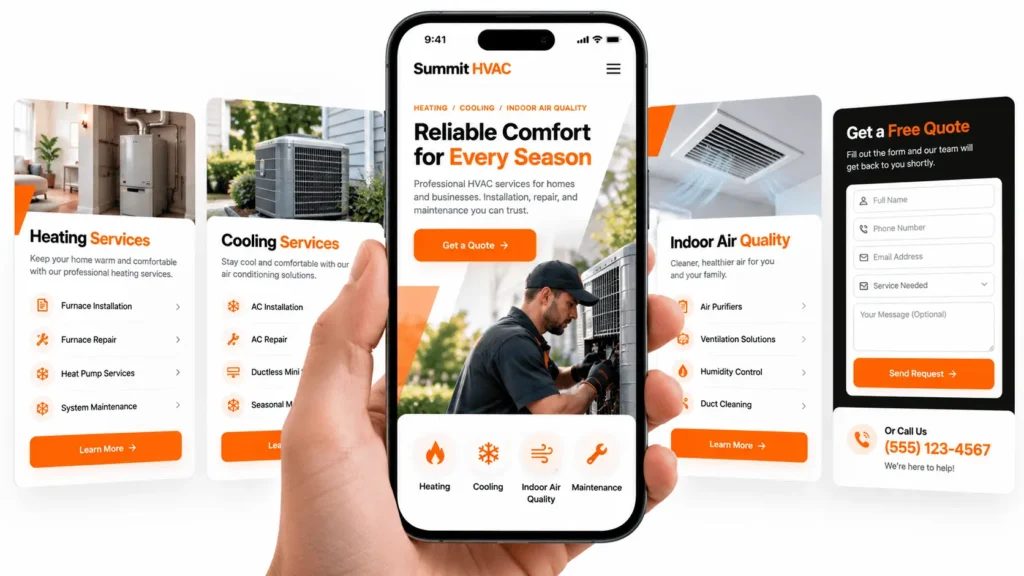
Many potential customers will visit a website using a smartphone. A design that works well on a large desktop screen may be difficult to use on a smaller display.
Responsive web design allows the layout to adapt to different screen sizes.
Essential mobile design practices
Use readable text. Visitors should not need to zoom in to read service descriptions or contact information.
Make buttons easy to use. Provide sufficient spacing between interactive elements and ensure that important actions are easy to tap.
Keep phone numbers actionable. Use properly implemented click-to-call links so mobile visitors can initiate a call without copying the number.
Simplify forms. Ask only for the information needed to handle an enquiry. Avoid unnecessary fields and confusing validation messages.
Optimize images. Large, uncompressed photographs can slow down pages, particularly on mobile connections.
Test the complete journey. Open service pages, navigate the menu, complete a form, and test phone links on actual mobile devices.
Consider different customer journeys
A visitor looking for an urgent repair may want to find a phone number immediately. A commercial buyer evaluating a major project may prefer to review capabilities, qualifications, and previous work before requesting a proposal.
Design for the actions relevant to your customers rather than assuming every visitor follows the same path.
6. Website Features That Can Support HVAC Lead Generation
Lead generation is the process of encouraging potential customers to express interest in a business’s services.
Your website can support this process, but no individual feature guarantees additional enquiries. Results depend on factors such as demand, traffic quality, service availability, pricing, competition, and the effectiveness of the overall customer journey.
Clear calls to action
A call to action tells the visitor what to do next.
Examples include:
Call Our Team
Request a Quote
Schedule a Consultation
Discuss Your Commercial Project
Contact Us About Heating Services
Choose language that accurately reflects the next step. Do not promise immediate service, a free estimate, or a particular response time unless the business genuinely offers it.
Use one primary CTA for the main purpose of each page, with secondary options where they serve a distinct need.
Contact and quote-request forms
A well-designed form helps collect the information needed to respond to a potential customer.
Depending on the service, fields might include:
Name.
Preferred contact method.
Phone number or email.
Property or project type.
Service required.
General location.
A brief description of the request.
Ask only for information necessary at this stage. A short residential service enquiry may need very little detail, while a commercial project enquiry may benefit from fields about building type or project scope.
Provide clear instructions, useful error messages, a confirmation after successful submission, and a reliable method for the business to receive enquiries.
Test form delivery, spam protection, and notifications before launch. If you collect personal information, explain the relevant data practices in your privacy policy.
Trust signals
Trust signals help visitors evaluate whether a business is credible.
Depending on what can be verified, consider displaying:
Authentic customer reviews.
Relevant licenses and certifications.
Insurance information where appropriate.
Genuine project photographs.
Manufacturer partnerships.
Team biographies.
Clear business contact details.
Transparent service information.
Do not fabricate reviews or use stock photographs in a way that implies they show your actual team, premises, or completed projects.
Useful service information
Customers may want to know what a service includes, which properties it suits, how to request it, and what factors influence the process or price.
Address these questions on the relevant page. Helpful information can reduce uncertainty and help visitors decide whether contacting the business is appropriate.
A practical lead-generation example
Imagine a homeowner searching for air conditioning installation.
A useful website journey could look like this:
The visitor lands on the air conditioning service page.
A clear heading explains the installation service.
The page outlines the relevant process and available options.
Genuine reviews or project examples provide context.
A visible CTA opens a straightforward enquiry form.
A confirmation explains what happens after submission.
This is a hypothetical example of a customer journey, not a claim about measured results.
7. HVAC Website SEO: Building a Search-Friendly Foundation
Search engine optimization helps search engines understand your website and helps potential customers discover relevant pages.
Website design and SEO should be planned together. A visually attractive website can still have problems if important content is inaccessible, page relationships are unclear, or the site provides little useful information.
Start with search intent
Search intent is the reason behind a query.
A person searching for “air conditioner repair” may be looking for a provider. Someone searching for “how often should an HVAC filter be changed” is more likely seeking information.
Your website should contain pages that match the relevant needs of your audience.
For example:
| Page type | Primary purpose |
|---|---|
| Homepage | Explain the business and its main services |
| Service page | Describe a specific service and encourage relevant enquiries |
| Service-area page | Explain service availability in a genuine geographic market |
| Educational article | Answer a specific question or explain a topic |
| Contact page | Help visitors contact the business |
Avoid trying to make one page answer every possible query.
Optimize page titles and headings
Write a unique, descriptive SEO title for each important page. Use an H1 heading that clearly communicates the page’s main subject, followed by logical H2 and H3 headings.
Include relevant terms naturally. Repeating the same exact keyword in every heading does not make a page more useful.
Google may generate title links and search snippets using several sources, so a carefully written title or meta description is not guaranteed to appear exactly as submitted.
Create useful, specific service content
Explain what the business provides, who the service is for, and what customers should understand before making contact.
Avoid copying competitors or generating numerous near-identical pages. Content should provide meaningful information rather than merely repeat service names and locations.
Google’s guidance emphasizes helpful, reliable, people-first content rather than content produced primarily to manipulate rankings.
Reference: Google’s guidance on creating helpful, reliable, people-first content.
Plan internal links
Internal links connect relevant pages within your website.
For example, an article about choosing a new heating system might link to a relevant installation service page. A service-area page might link to the services available in that area.
Use descriptive anchor text so visitors understand what they will find after clicking. Avoid adding links where they do not help the reader.
Improve technical SEO
Technical SEO concerns how well a website can be accessed, crawled, indexed, and interpreted by search engines.
Review:
Whether important pages are indexable.
Whether the XML sitemap is available and accurate.
Whether robots directives are appropriate.
Whether canonical URLs are configured correctly.
Whether internal links work.
Whether redirects and error pages are handled properly.
Whether mobile pages are usable.
Whether structured data is accurate and eligible for its intended purpose.
A WordPress SEO plugin can assist with several settings, but installing a plugin does not automatically resolve every technical SEO issue.
Use structured data appropriately
Structured data is machine-readable information that describes a page or entity.
Depending on the website, relevant types may include Organization, LocalBusiness, or a more specific supported business type, as well as appropriate article markup.
Use only information that accurately describes the business and follows the relevant guidelines. Structured data does not guarantee enhanced search results.
8. HVAC Local SEO and Service-Area Pages
Local SEO helps businesses improve their visibility for geographically relevant searches.
For an HVAC company serving particular cities, towns, or neighborhoods, the website should explain where the business operates and which services are available.
Make location information accurate
Include the relevant service area on appropriate pages. Where useful, provide practical details about the areas served, the types of customers supported, and the services offered there.
Do not claim to serve locations that the business does not actually cover.
If the business has a physical location that customers can visit, provide accurate address and contact details. If it travels to customers and does not serve them at its business address, follow Google’s applicable service-area business guidelines.
Reference: Google Business Profile guidelines.
Create service-area pages only when they add value
A service-area page should provide meaningful information about the business’s offering in that location.
Useful content might include:
The services genuinely available there.
Relevant local operating details.
Genuine projects or examples from that area, where available.
Practical information for prospective customers.
A clear contact option.
Avoid creating many pages that simply replace one city name with another while leaving the content otherwise identical.
Keep business information consistent
Review your business name, phone number, address where applicable, website, operating hours, and service information across relevant online profiles.
Correct inconsistencies rather than creating additional profiles or locations without a legitimate business reason.
Understand the limits of local SEO
A well-designed website is one part of local visibility. Google Business Profile eligibility, reviews, business prominence, competition, relevance, and other factors also matter.
Do not expect website changes alone to guarantee a position in Google Maps or local search results.
For businesses that need help with this area, explore HVAC local SEO services.
9. Website Speed and Performance for HVAC Businesses
Performance affects how quickly visitors can access and interact with your website. Heavy images, excessive scripts, unnecessary animations, poorly configured hosting, and overlapping plugins can contribute to a slow experience.
Understand Core Web Vitals
Google’s Core Web Vitals measure aspects of real-world user experience.
| Metric | What it measures | Good target |
|---|---|---|
| Largest Contentful Paint (LCP) | Loading performance of the main visible content | 2.5 seconds or less |
| Interaction to Next Paint (INP) | Responsiveness to user interactions | 200 milliseconds or less |
| Cumulative Layout Shift (CLS) | Unexpected visual movement during loading and interaction | 0.1 or less |
These thresholds are evaluated at the 75th percentile of page visits, segmented by mobile and desktop. They are useful performance targets, not guarantees of higher rankings or more leads.
Reference: web.dev — Core Web Vitals.
Optimize images
Large hero images and project photographs can contribute significantly to page weight.
Practical steps include:
Resize images to appropriate display dimensions.
Use modern formats such as WebP or AVIF when supported by your workflow.
Compress images without unacceptable visual degradation.
Provide responsive image sizes.
Specify image dimensions to reduce layout shifts.
Lazy-load below-the-fold images where appropriate.
Avoid lazy-loading the primary image when doing so delays the main visible content.
Use real project photography when it is available and authorized. Image optimization should preserve the details visitors need to see.
Reduce unnecessary scripts and effects
Animations, sliders, third-party widgets, tracking scripts, and plugins can increase complexity.
Keep features that support a clear user need and remove those that provide little value. Test performance after significant changes rather than assuming that a particular plugin or theme will always be fast.
Test actual pages
Use tools such as Google PageSpeed Insights and Chrome DevTools to identify bottlenecks.
Test representative pages, including the homepage, a service page, and the contact form. Lab tests are useful for diagnosis, while field data can help show how real visitors experience the site.
10. HVAC Website Design Best Practices
The following checklist brings together the most important planning and implementation decisions.
Design and branding
Use a consistent visual identity.
Choose readable typography and sufficient contrast.
Use clear layouts and logical spacing.
Avoid unnecessary visual clutter.
Make the main service and CTA easy to identify.
Use genuine photographs wherever practical.
Content and navigation
Explain the business clearly near the top of the homepage.
Organize services into meaningful categories.
Create dedicated pages for important offerings.
Use descriptive headings and URLs.
Answer relevant customer questions.
Keep contact information easy to find.
Mobile usability
Test responsive layouts on real devices.
Ensure links and buttons are easy to tap.
Make telephone links actionable.
Keep forms short and usable.
Check that menus and dropdowns work correctly.
SEO and technical setup
Write unique page titles and meta descriptions.
Use a logical heading structure.
Add contextual internal links.
Provide accurate image alt text.
Check indexing, canonical URLs, and redirects.
Implement relevant structured data accurately.
Monitor search performance and technical errors.
Conversion and measurement
Use clear, relevant calls to action.
Test form submission and notifications.
Track meaningful enquiry events.
Distinguish genuine leads from spam.
Review which pages contribute to qualified enquiries.
Improve pages using observed evidence rather than assumptions.
11. Common HVAC Website Design Mistakes to Avoid
Mistake 1: Focusing on appearance instead of usability
A visually impressive website may still be difficult to use if its navigation is confusing, its text is hard to read, or its contact details are hidden.
How to improve it: Test common customer tasks. Can someone find a relevant service, understand the next step, and contact the business without confusion?
Mistake 2: Using generic service descriptions
Statements such as “We provide high-quality HVAC solutions” do not explain what the company actually does.
How to improve it: Describe the specific services, relevant customer needs, and important practical details. Use language that accurately reflects the business’s capabilities.
Mistake 3: Making the website difficult to use on mobile
Small buttons, oversized images, intrusive popups, and complicated forms can make mobile navigation frustrating.
How to improve it: Test real devices and prioritize the actions mobile visitors are most likely to need.
Mistake 4: Treating every city as a separate SEO opportunity
Publishing many near-identical city pages can produce a weak and repetitive website.
How to improve it: Create location pages when they serve a real audience and contain useful, location-specific information.
Mistake 5: Ignoring performance after launch
A website may become slower as new plugins, images, scripts, and marketing tools are added.
How to improve it: Monitor performance periodically and retest after significant design or functionality changes.
Mistake 6: Collecting too much information in forms
A long form can create unnecessary friction, especially when a visitor only wants to ask a simple question.
How to improve it: Collect the minimum information needed for the next step. Ask more detailed questions later if the enquiry warrants them.
Mistake 7: Publishing unverified claims
Invented reviews, unsupported guarantees, misleading credentials, or inaccurate project examples can damage trust.
How to improve it: Verify claims before publishing and use genuine evidence wherever possible.
Mistake 8: Never measuring the website's performance
Without measurement, a business may not know whether visitors are finding services, submitting forms, or calling.
How to improve it: Establish clear goals and review relevant analytics, search performance, and enquiry data.
12. How Much Does HVAC Website Design Cost?
HVAC website design costs vary according to the project’s scope, design requirements, content needs, functionality, integrations, and ongoing support.
There is no single price that applies to every HVAC business.
Factors that influence the cost
| Factor | How it can affect the project |
|---|---|
| Number of pages | More pages generally require more planning, content, design, and testing |
| Custom design | Bespoke layouts and components may require more development time |
| Content creation | Researching and writing service pages requires additional work |
| SEO requirements | Technical audits, content strategy, and implementation can add scope |
| Integrations | CRM, scheduling, quoting, or other systems may require additional development |
| Photography and branding | Original photography, logos, and visual assets may require separate work |
| Maintenance | Updates, backups, security monitoring, and support may create recurring costs |
What should a website design proposal include?
Before choosing a provider, establish exactly what is included.
Ask about:
Page count and page types.
Design and development approach.
Content writing and revisions.
Mobile responsiveness.
Basic on-page SEO setup.
Form configuration and testing.
Analytics and conversion tracking.
Hosting, domain, and third-party software costs.
Ownership and access to the website.
Post-launch support and maintenance.
Compare proposals by scope and deliverables rather than headline price alone.
A small website can be appropriate for a new business with a limited service range. An established company with multiple service categories, commercial capabilities, and complex enquiry requirements may need a more extensive project.
For project-specific pricing information, review HVAC Web Design Lab’s pricing page. Confirm current packages and inclusions before making a purchasing decision.
13. Choosing an HVAC Website Design Company
The right website partner should understand both website development and the business objectives the site is intended to support.
Evaluate relevant experience
Ask whether the provider has worked on websites for HVAC businesses or other comparable service industries.
Review actual projects where available. Consider the clarity of service pages, mobile usability, navigation, performance, and the overall quality of implementation.
Do not rely on portfolio screenshots alone. When possible, visit live websites and test important features.
Ask about SEO and content
A website should have a sensible SEO foundation from the beginning.
Ask how the provider handles page structure, metadata, internal links, redirects, image optimization, indexability, and content organization.
Be cautious of guarantees about search positions, traffic, or leads.
Clarify the process
A professional process should establish the scope, responsibilities, feedback stages, launch requirements, and post-launch support.
Before signing an agreement, clarify who owns the domain, hosting account, website files, licenses, and content.
Evaluate communication and transparency
Look for clear explanations, realistic expectations, and transparent pricing.
A provider should explain what is included, what requires additional work, and how the project will be evaluated after launch.
If you are planning a WordPress website for your heating and cooling business, our guide on how to choose a WordPress developer for your HVAC company explains how to evaluate portfolios, technical skills, SEO knowledge, pricing, ownership, and ongoing support.
14. How to Measure Whether Your HVAC Website Is Working

A successful website should be evaluated against its intended purpose, not just its appearance or traffic volume.
Establish a baseline before making major changes, then review the metrics that matter to your business.
Website traffic
Use analytics to understand how many people visit the website, which channels bring them there, and which pages they view.
Traffic alone does not indicate commercial success. A smaller amount of highly relevant traffic may be more valuable than a larger amount of poorly targeted traffic.
Enquiry and call activity
Track meaningful actions such as:
Successfully submitted enquiry forms.
Clicks on telephone links.
Quote requests.
Consultation requests.
Other relevant conversion events.
A click-to-call event does not necessarily mean a call was completed, and a form submission does not automatically represent a qualified lead. Interpret tracking data carefully.
Search performance
Google Search Console can help you review search impressions, clicks, click-through rates, indexing information, and queries associated with your website.
Use the data to identify relevant opportunities and investigate changes. Avoid assuming that every fluctuation is caused by a website design change.
Lead quality
Where practical and appropriate, record which enquiries become genuine opportunities and which become customers.
This helps distinguish website activity from meaningful business outcomes.
A practical review cycle
A useful process is to:
Establish baseline measurements.
Identify the most important usability or technical issues.
Prioritize improvements by likely impact and effort.
Implement changes.
Measure the results over an appropriate period.
Refine the website based on the evidence.
Document major changes so you can interpret the data more accurately.
15. A Step-by-Step Process for Building an HVAC Website
A structured process reduces avoidable rework and helps keep the project aligned with business priorities.
Step 1: Define the business goals
Decide what the website needs to accomplish. Goals may include explaining services, supporting commercial enquiries, generating quote requests, or improving the customer experience.
Step 2: Understand the target audience
Identify the relevant customer groups and the information they need before making contact.
Residential and commercial audiences may require different service descriptions, proof points, and enquiry paths.
Step 3: Plan the sitemap
List the essential pages and organize them into a logical hierarchy.
Prioritize the pages that customers need most. Add optional pages only when they serve a clear purpose.
Step 4: Prepare the content
Gather accurate service information, business details, photographs, credentials, reviews, and other evidence.
Write content around customer needs and search intent rather than filling pages with repetitive keywords.
Step 5: Design the user experience
Plan page layouts, navigation, typography, colors, mobile behavior, forms, and calls to action.
Use wireframes or prototypes when they help stakeholders review the structure before development begins.
Step 6: Develop and configure the website
Build the approved layouts, implement the required functionality, configure essential SEO settings, and optimize assets.
If using WordPress, choose a suitable theme and plugins based on requirements, maintainability, security, and performance.
Step 7: Test before launch
Check:
Desktop and mobile layouts.
Navigation and internal links.
Contact forms and notifications.
Telephone and email links.
Page titles and metadata.
Image loading and alt text.
Redirects and indexability.
Performance and basic accessibility.
Analytics and conversion tracking.
Step 8: Launch and monitor
Confirm that the live website works correctly, important URLs are accessible, and analytics are recording relevant activity.
Submit or review the sitemap in Google Search Console as appropriate, then monitor indexing, technical issues, and user behavior.
Step 9: Improve continuously
A website is not necessarily finished once it launches. Services change, customer questions evolve, and technical requirements need ongoing attention.
Review performance and make improvements based on evidence rather than redesigning pages without a clear reason.
16. Should You Redesign an Existing HVAC Website?
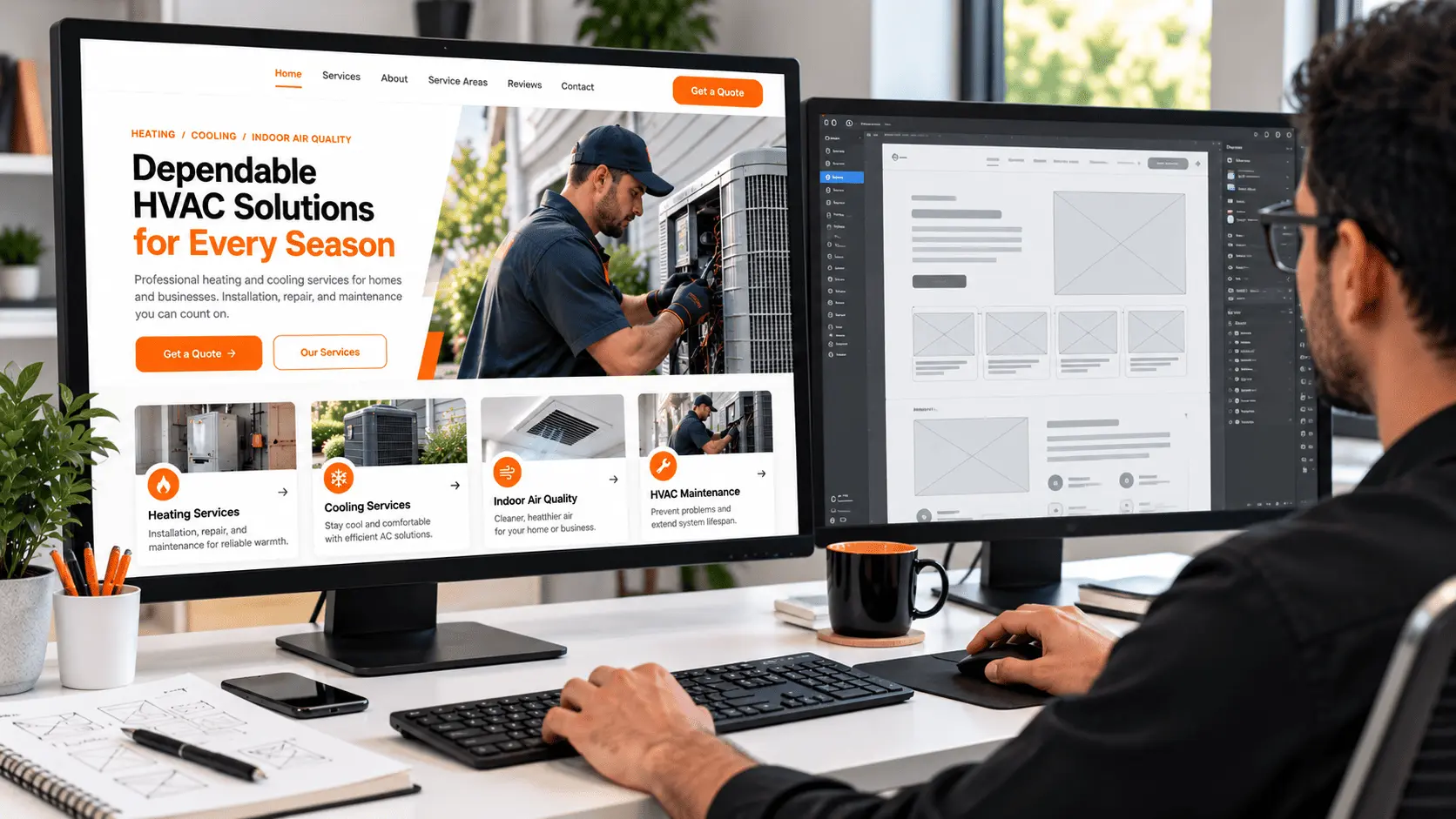
A complete redesign is not always necessary. Sometimes a focused improvement to navigation, content, mobile usability, or performance is sufficient.
Consider an audit if the website has:- Outdated or inaccurate service information.
- Confusing navigation.
- Poor mobile usability.
- Broken forms or contact links.
- Slow or unstable pages.
- Weak service-page content.
- Technical SEO problems.
- Unclear business information.
- Missing or unreliable conversion tracking.
17. Frequently Asked Questions About HVAC Website Design
A good HVAC website clearly explains the business and its services, works well on mobile devices, provides accurate trust signals, loads efficiently, and makes it easy for visitors to take the next step. It should also have a sensible SEO foundation and reliable contact functionality.
There is no universal page count. A new business may need only a homepage, services overview, several important service pages, an About page, and a Contact page. A larger company may need additional commercial, location, project, or resource pages. Build pages according to genuine user needs.
Not necessarily. Separate pages are useful when services have distinct audiences, requirements, or search intent and can support meaningful content. Closely related offerings may be grouped when doing so makes the information easier to understand.
WordPress can be a suitable option for many HVAC businesses because it supports customizable page layouts, content publishing, forms, and a broad plugin ecosystem. The result still depends on the implementation, hosting, maintenance, security, accessibility, and performance decisions.
The cost depends on the number of pages, design complexity, content creation, SEO requirements, integrations, and ongoing support. Request an itemized proposal that explains deliverables, recurring costs, ownership, and maintenance responsibilities.
A well-structured website can support SEO by improving crawlability, mobile usability, page organization, content clarity, and technical performance. Design alone does not guarantee rankings; useful content, relevance, competition, and other factors also matter.
Make services clear, provide useful information, display genuine trust signals, use relevant calls to action, and simplify contact forms. Track meaningful enquiries and improve the customer journey using evidence. No specific design feature guarantees more leads.
Service-area pages can be useful when the business genuinely serves those locations and each page provides relevant information. Avoid publishing large numbers of near-identical pages created solely to target city names.
Conclusion: Build an HVAC Website Around Your Business Goals
An effective HVAC website combines clear service information, intuitive navigation, mobile usability, genuine trust signals, relevant SEO, and reliable contact functionality.
The best approach is to start with your customers’ needs and your business objectives. Build the pages that matter, explain your services accurately, make enquiries straightforward, and measure whether the website is helping people take meaningful next steps.
If your HVAC website is outdated, difficult to use, or not communicating your services clearly, begin by identifying the most important problems and prioritizing improvements.
HVAC Web Design Lab helps HVAC businesses approach these challenges through specialized website design, website redesign, and local SEO services.
Explore HVAC web design services to learn more about planning a website around your business’s needs.
If you would like to discuss your website goals or explore options for your HVAC business, contact HVAC Web Design Lab to discuss your project requirements.

About the Author
Tanvir Siddiki
Founder & HVAC Web Design SpecialistTanvir is the founder of HVAC Web Design Lab, specializing in website design, website redesign, and local SEO for HVAC businesses. He focuses on creating professional, user-friendly websites that help heating and cooling companies strengthen their online presence.
2 Comments